 MOTOSEYİR
- Fixed a crash when switching from Blog to Feed in Community.
- Recording a video of your 3D ride replay starts more reliably.
- “Ready” no longer shows before the map has loaded, and the camera no longer jumps when you finish a pinch zoom.
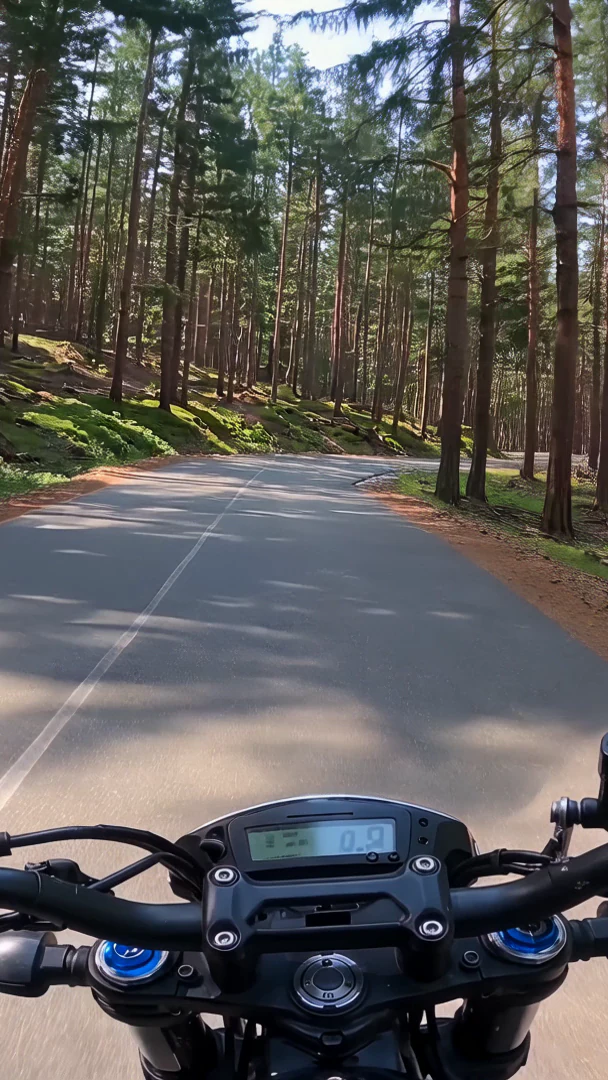
Motoseyir · Motorcycle navigation
For riders who love a corner.
Motoseyir plans by distance, not by minutes. Back roads or the coast, you choose. Or tell it which way you want to ride and let it build the tour; or pick a mountain pass and go.
Download on the App Store
Routing and navigation are free and unlimited in Türkiye, Europe and the USA; no account needed.
1,600+mountain passes in 36 countries
TR · EU · USlegendary roads of Türkiye, Europe and the USA, ready as routes
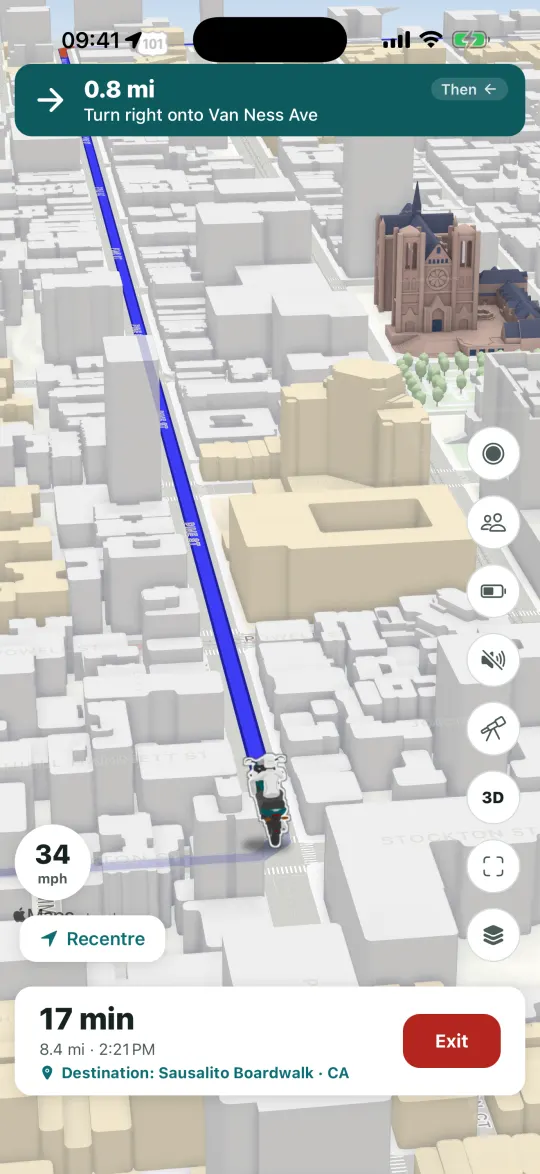
CarPlayyour route on the car screen, full screen
Group + Intercomsame route, talking as you ride
Motoseyir at a glance.
Routing
Kilometres first, fun second.
It compares the alternatives between the same two points and suggests the shortest. On a multi-stop tour it works out the order of the stops, too. The rest is up to you.
See the featuresTour generator
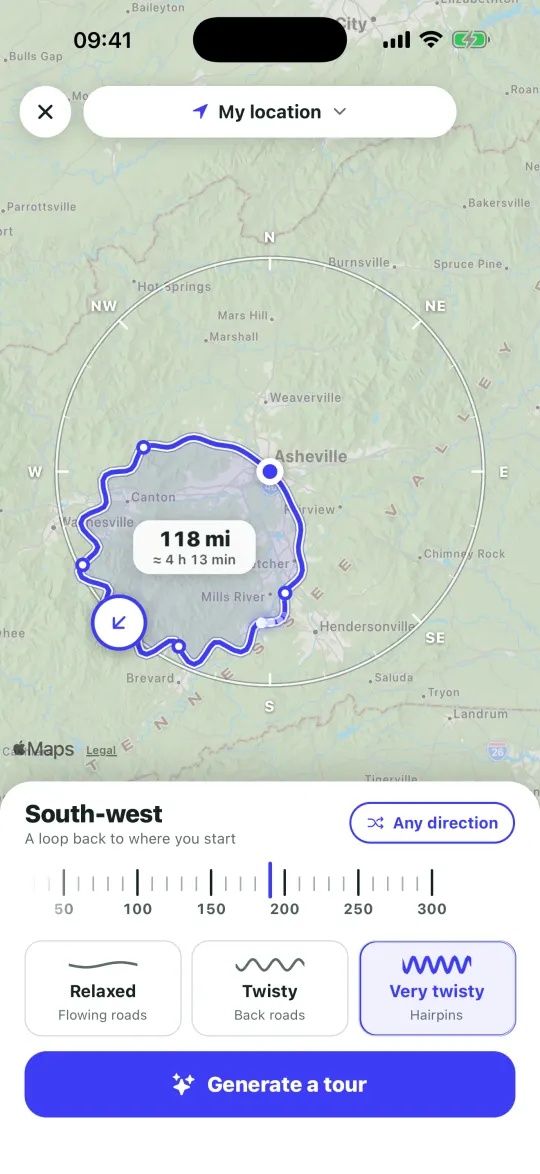
Pick a direction and a time, the tour is ready.
Turn the dial to the way you want to go and choose how many hours you have. Motoseyir draws a tour in that direction; you see it on the map and start if you like it.
See the featuresMountain passes
1,600+ passes, on one map.
Every pass has its altitude and exact location, and most have photos. Where the closing months are known they’re shown, and dirt roads are marked as dirt. Add the ones you like to your tour and go.
See the featuresDiscover Pro
Discover things along the way.
See the coves and beaches, campsites, places to eat, fuel stops and passes around your tour, and add the ones you like as stops.
See the features
Routing
Kilometres first, fun second.
It compares the alternatives between the same two points and suggests the shortest. On a multi-stop tour it works out the order of the stops, too. The rest is up to you.
- Shortest routeThe default; it goes by kilometres.
- Back roadsStays off the motorway and prefers the smaller roads.
- Coast ProIn tours, it looks for roads that follow the shoreline.
- Unlimited
- free navigation in Türkiye, Europe and the US
- 26
- stops in a single tour
- 2
- alternative routes, with the shortest marked
- 726
- speed cameras in Türkiye
Lane guidance
Before a junction it shows which lane to be in on the screen and, in compatible cars on iOS 18 or later, on the car’s instrument cluster too. Lane data exists only for junctions that have it on the map.
Speed limits
Where the limit is known, the speed sign stays on screen.
Speed cameras
Knows 726 cameras in Türkiye from OpenStreetMap, though not every one. It warns you on screen 500 m or 20 seconds before each, and says it once out loud if voice guidance is on.
Voice guidance
Uses your phone’s best voice in your language. Switch to short prompts if you’d rather hear less.
No toll roads
One tap takes toll roads out of the route.
On the lock screen
Your next turn shows on the lock screen and in the Dynamic Island, so you don’t have to unlock the phone.
Tour generator
Pick a direction and a time, the tour is ready.
Turn the dial to the way you want to go and choose how many hours you have. Motoseyir draws a tour in that direction; you see it on the map and start if you like it.
- 30–300 km
- tour length, or pick it in hours
- 3
- curve levels: Relaxed, Twisty, Very twisty
- 9
- options with “Another one”
Direction
Turn the dial or choose “Any direction”. The tour brings you back to where you started.
Hours or kilometres
Tell it how long you have, in half-hour steps, and Motoseyir turns that into distance.
Things to avoid
Switch off motorways, tolls and dirt roads, each on its own.
Three tours at a time
You get the three best options. Don’t like them? “Another one” finds new ones on different roads.
Passes on the way
If the tour crosses a mountain pass, the card shows its name and altitude.
Free to try
Anyone can generate a tour and see it on the map. Building a twisty or motorway-free one is part of Pro.
Mountain passes
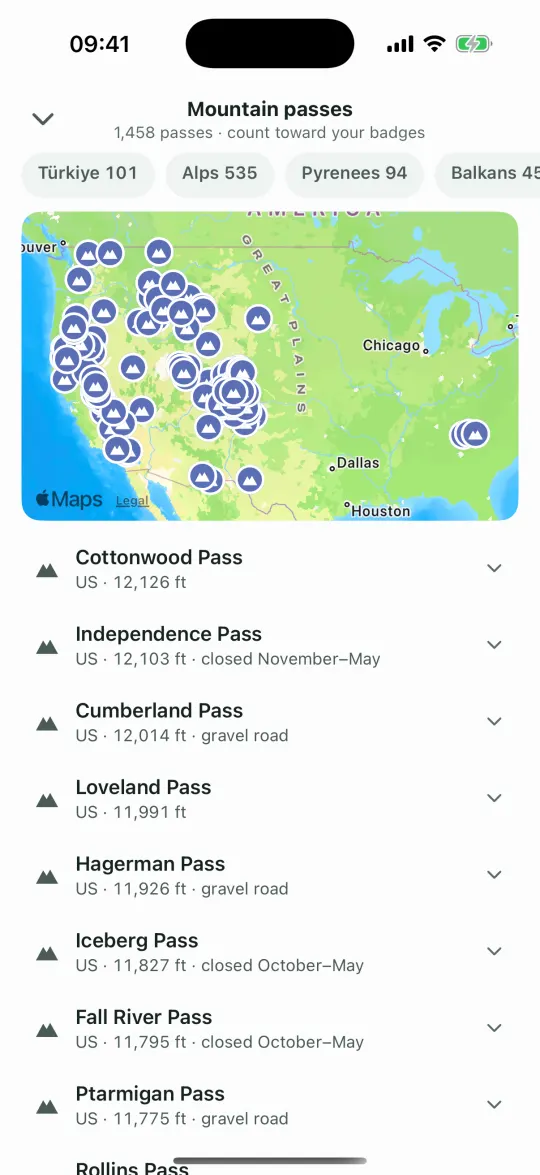
1,600+ passes, on one map.
Every pass has its altitude and exact location, and most have photos. Where the closing months are known they’re shown, and dirt roads are marked as dirt. Add the ones you like to your tour and go.
- 2,764 mCol de l’IseranClosed November–May
- 2,758 mPasso dello StelvioClosed November–April
- 2,744 mCol AgnelClosed October–June
- 1,638
- passes in 36 countries
- 317
- passes at 2,000 m or higher
- 1,045
- passes with photos
- 98
- passes with known winter closures
By region
- Alps and Dolomites535
- Rest of Europe407
- United States298
- Türkiye115
- Pyrenees94
- Carpathians60
- Central Asia55
- Balkans45
- Caucasus23
- Scandinavia6
The five highest in the US, all in Colorado
- 3,696 mCottonwood Pass
- 3,689 mIndependence Pass
- 3,662 mCumberland Pass
- 3,655 mLoveland Pass
- 3,635 mHagerman Pass
Where the data comes from
- LocationThe OpenStreetMap point that marks the pass. It sits on the road at the summit, not at an encyclopedia’s rough coordinate.
- AltitudeMost passes use the altitude on their OpenStreetMap entry, with terrain elevation data when there is none. The ones we compiled by hand use their Wikipedia or Wikidata entry.
- Winter closuresFrom the road’s seasonal closure tag in OpenStreetMap. If your route crosses a pass that may be closed this month, the app tells you.
- BadgesPasses you ride over are ticked off from your ride log automatically. No internet needed.
Location and closure data © OpenStreetMap contributors (ODbL). Photos from Wikimedia Commons and from riders; the app credits the author under each photo, and the licence too for Commons photos.
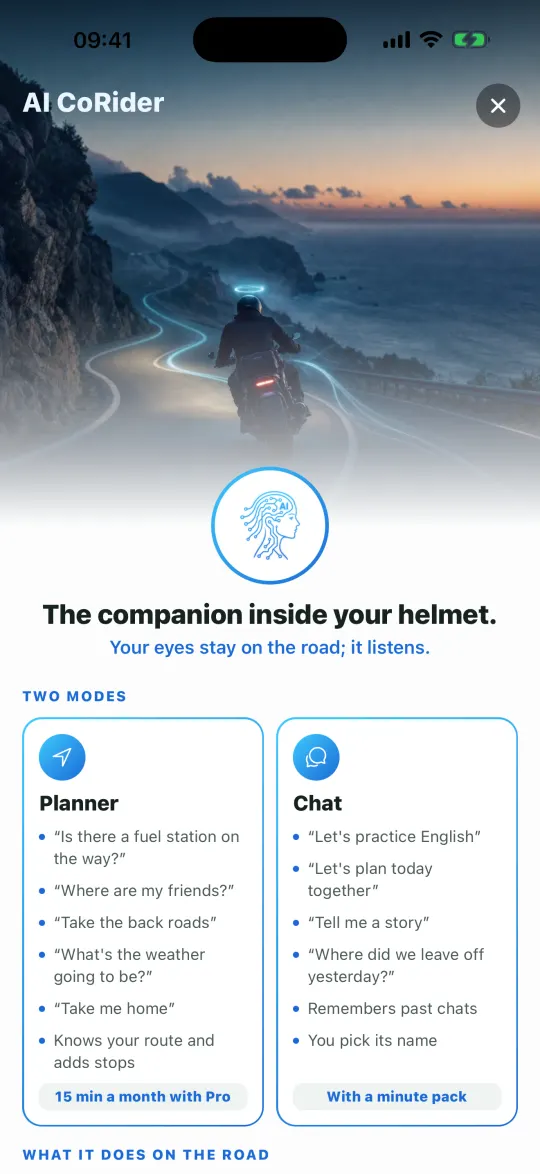
AI CoRider
A riding partner inside your helmet. Pro
AI CoRider is a riding partner that talks to you through your helmet. Press the button and ask: it knows your route, searches along it, adds stops and changes the route for you. You hear the answer in your helmet and your hands stay on the bars.
What you can say
These are examples. There are no commands to memorise; say it in your own words.
How far to go? Is it going to rain on the way?
Time left and rainAny good place to eat on the way?
Searches along your route, best-rated firstAdd the first one as a stop.
Adds the stop and updates the routeLet’s take the back roads.
Switches the route modeWill my fuel get me there?
Works out your tank rangeWhere can I stay tonight?
Looks for a place to stayTell the group we’re stopping for a break.
Sends the group a ready-made alertRemind me to oil the chain tomorrow.
Saves the note and says it the next time you open it
How it works
Press the button
Tap the AI CoRider button on the map and start talking.
Talk normally
No commands to learn. It answers in the language you speak.
Hear it in your helmet
If your helmet is connected to the phone over Bluetooth, the voice comes through it. Can’t hear it in the wind? Just say “turn it up”.
From a real ride
A real recording from the app: the rider asks how far is left and whether it will rain, asks for a place to stop, and the one they pick goes into the route as a stop.
Real screen recording from the app.
- ~30
- actions by voice
- 4
- voices: Quartz, Tempo, Stone, Willow
- Bluetooth
- works through your helmet intercom
- 30·60·180
- minute add-on packs that never expire
Change the route by voice
Adds, removes and skips stops. Changes your destination and puts stops in order.
Finds things ahead
Looks for fuel, food or a place to stay up the road and mentions the best-rated first.
Weather and range
Ask about the weather, rain on your route and how far your tank will take you. For range, enter once in Settings how far you ride on a full tank.
Keeps the group in touch
Tells you where everyone is and sends the group a ready-made alert for you: falling behind, break, hazard or fuel.
Runs the ride
Starts or ends navigation, turns on ride recording and takes you home.
Talk time
Pro renews 10 minutes of talk time every 30 days, and the free trial includes 5. If you need more, add a 30, 60 or 180 minute pack that never expires.
Two modes
“Planner” knows your route and gets things done; it comes with Pro. In “Chat” you pick the topic and it remembers earlier conversations; it opens with a minute pack.
In the group room
Call AI CoRider into the group intercom and everyone in the room hears it. The minutes come from the account of whoever called it.
Remembers and calls
Keeps the notes you ask for and forgets them when you say “forget that”. Finds someone in your contacts; one tap on the screen places the call.
Privacy. AI CoRider only runs when you turn it on. We don’t record or store your voice; what you say goes to a third-party cloud voice service so it can answer. Your raw location doesn’t go to that service; from your route it only gets text such as the distance left and the next manoeuvre. The session closes when you end it, after a while without speech, or when navigation ends. Details are in the privacy policy.
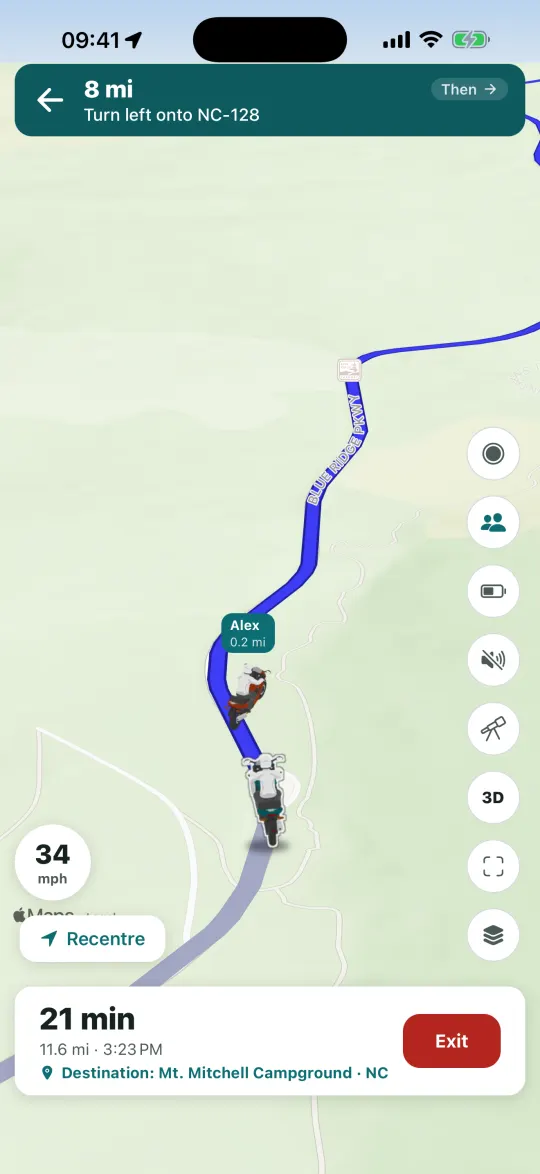
Together
Ride as a group, talking as you go.
Take the same route as your friends and see everyone on the map. Joining a group by invite or code is free.
- Group creation ProMeeting point, live location, one route.
- IntercomTalk to the group while you ride; no extra hardware.
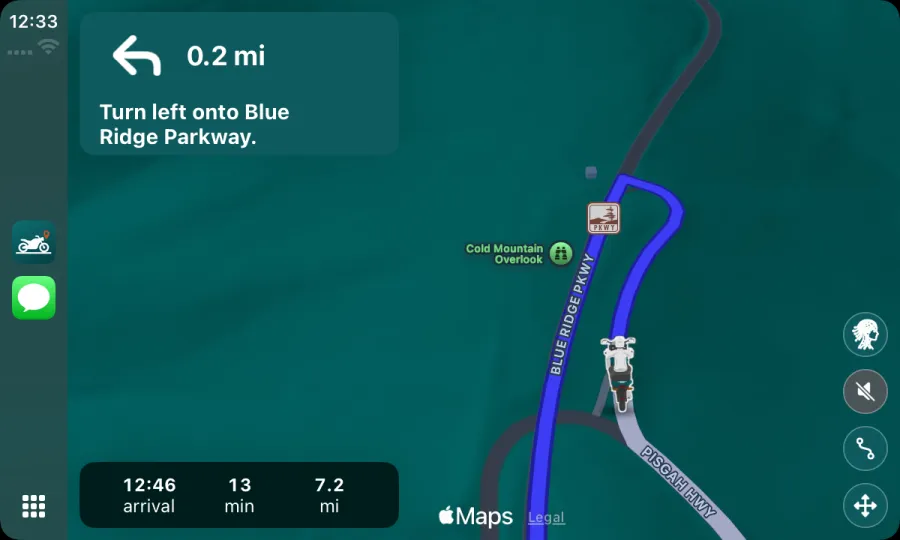
- CarPlay ProYour route on the car screen; the phone stays in your pocket.
- 12
- riders in one group
- Free
- to join with a code or an invite
- 7
- categories to search along the route on CarPlay
Easy to join
Type the 8-character code or tap the link. Creating a group is part of Pro.
Location only while riding
Your location is shared only while navigation or a ride recording is running, and sharing stops when you end it.
Open mic
No push-to-talk on the intercom: just talk. Mute anyone you like. Nothing is recorded.
CoRider in the group
Invite CoRider into the group’s room and everyone hears it.
Navigation on CarPlay
Map and turns on the car screen. Skip a stop, record the ride, open the intercom or search an address from the Destinations list.
Dashboard
The map also sits in CarPlay Dashboard, next to your other apps, with your position and route.
Leader and sweep
Whoever creates the group is the leader, and the leader can make someone the sweep. The sweep rides at the back and is told on screen if someone stops or falls behind. Leadership can be handed over.
Meeting point
The leader sets a meeting point on the map, with a time if you like. It shows on everyone’s map, and Go builds the route.
Quick alerts to the group
During a group ride the I’m behind, Break, Hazard and Fuel buttons send an alert to the group, visible for 10 minutes. Nothing is sent unless you tap.
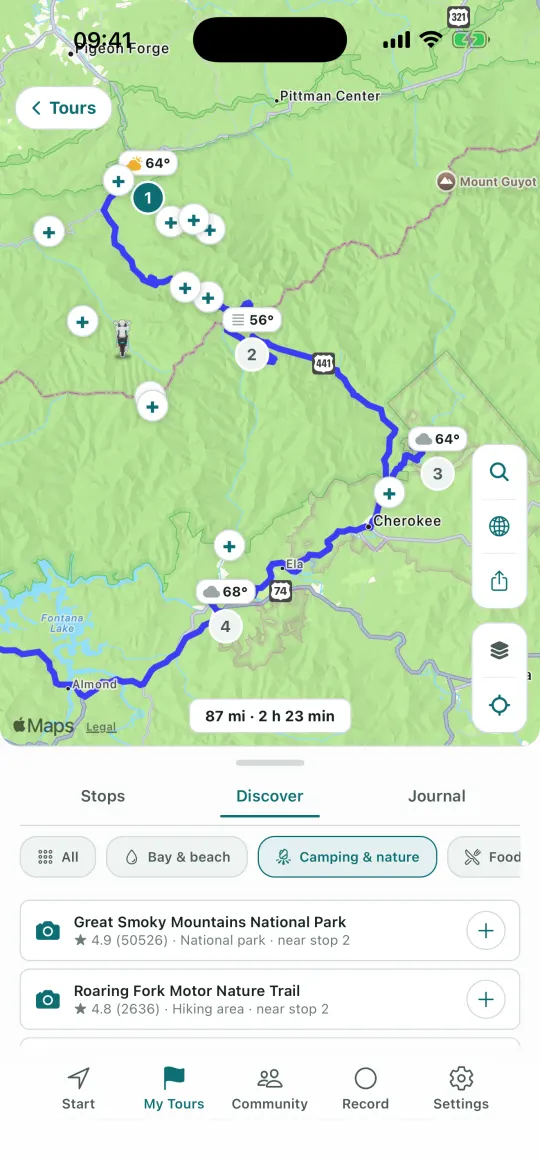
Discover
Discover things along the way. Pro
See the coves and beaches, campsites, places to eat, fuel stops and passes around your tour, and add the ones you like as stops.
- 9,668
- bays and beaches in Türkiye
- 20,106
- camping and nature spots in Türkiye
- 6
- categories
Categories
All, Bay & beach, Camping & nature, Food & drink, Fuel and Passes.
Where to find it
Open a tour in My Tours and pick Discover from the Stops | Discover | Journal tabs. The tour needs at least two stops, and the search is part of Pro.
Explore this area
Move the map anywhere and search around that spot.
Camping & nature
Campsites, RV parks, national parks, waterfalls, caves, lakes, picnic areas and hiking trails.
Place card
Tap a place and its location, rating and a short description appear on one screen. Photos of places from open data come from Wikimedia Commons.
Best known first
Passes and legendary roads are ranked by how well known they are.
After the ride
The road you rode stays with you.
Record the ride, watch it again later, and turn it into a trip map video to share.
- Ride recording and 3D replayWatch the way you rode again on the map.
- Trip map videoTurn your tour into a short video.
- Ride analysisMoving time, real breaks, sharp bends and climbing, worked out on your phone.
- Badges22 badges, from your first ride to the height of Everest.
- 200
- rides at most stay on your phone; when space runs out, the oldest go first
- 22
- badges of 11 kinds
- 60×
- top speed for the 3D replay
- 1080×1920
- vertical video, 15, 30 or 60 seconds
Ride analysis
Moving time and real stops, sharp bends per 100 km, total climb, 10 km sections. All worked out on your phone.
New roads
See what share of the ride was on roads you’d never ridden before.
Helicopter view
Replay the ride on Apple’s 3D satellite map at 1, 5, 20 or 60 times speed.
Badges
First ride, total distance, 100, 250 or 500 km in one ride, sunrise and night rides, weekly streaks, climbing, Everest height, pass collecting, Above the clouds, three countries.
GPX
Export rides as timestamped GPX files, and bring in a GPX route you already have.
Share
Send the story card straight to your Instagram Story; save the video to Photos and share it anywhere. While you ride you can also share a live-location link.
You on the map
You’re on the map too.
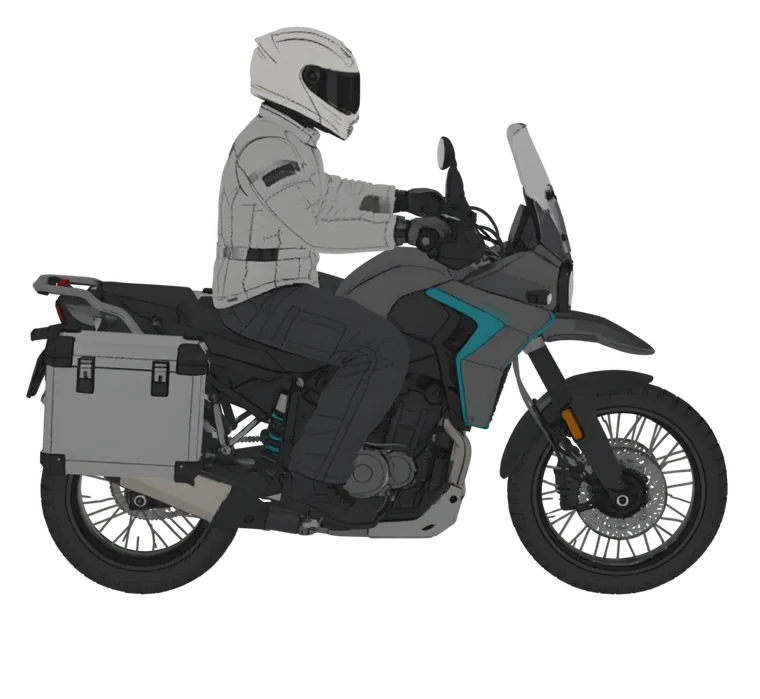
While you ride, a marker stands for you on the map. There are six: Supersport, Chopper, Maxi scooter, Touring, Arrow and Helmet. You pick one in Settings, and CarPlay shows the same one.
Drag to turn
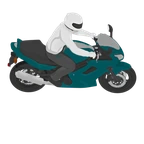 Supersport
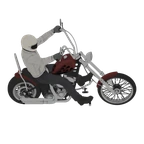 Chopper
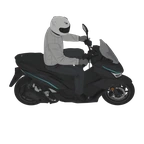 Maxi scooter
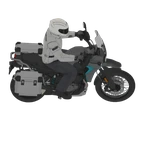 Touring
- Arrow
- Helmet
- 6
- markers to pick from
- 4
- of them are 3D with a rider, and lean into bends
- CarPlay
- the marker you pick shows on the car screen too
Where you pick it
Settings → Map → Navigation marker. A grid of six opens, and the one you tap is selected. You can also choose it the first time you open the app.
Four are 3D
Supersport, Chopper, Maxi scooter and Touring are drawn from 72 angles with a rider on board, and they lean into bends. Arrow and Helmet are flat drawings.
With you everywhere
On the main map and in navigation, as your live position on the tour map, in the 3D replay and in the trip video, and on CarPlay and CarPlay Dashboard too.
In a group
In a group you see your friends as a fixed, smaller marker; your choice isn’t passed on to them.
Free
Choosing a marker doesn’t need Pro.
Turn the Touring
Drag the bike above left or right. It glides to a stop when you let go, and if you leave it alone it turns slowly on its own.
Legendary roads
Legendary roads, from Türkiye to America.
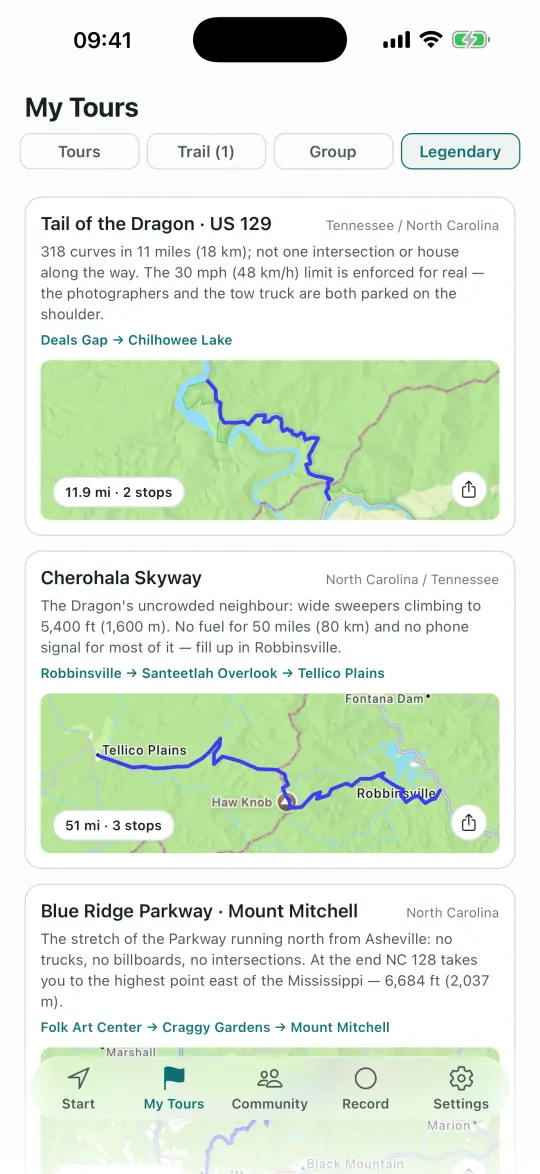
The famous roads of Türkiye, Europe and the USA come as ready-made routes: Tail of the Dragon, Beartooth Highway, Big Sur and more. Pick one and go.
- 17
- legendary roads in Europe
- 26
- legendary roads in the US
- 11
- ready-made tours in Türkiye
Europe
Stelvio, Grossglockner, Transfăgărășan, Trollstigen, the Atlantic Road, Galibier and more.
United States
Tail of the Dragon, Beartooth, Going-to-the-Sun Road, Big Sur, the Million Dollar Highway and more.
Türkiye
Şile–Ağva, the Lycian coast on the D400, Assos and Mount Ida, the Datça peninsula, the Ayder highlands and more.
The facts on every road
Each European and US road has a source link; summit height and the number of bends and hairpins are listed where they’re known.
Road notes
Every road has a note: for some the months it’s open and whether it closes in winter, for others practical details such as fuel or permits.
Pick and ride
In Europe and the US you open the road’s page and tap Ride this road, and the route is built. The Turkish ones are copied straight into your tours.
More features
What else is in the app.
The things that didn’t fit anywhere else. All of them are in the App Store version.
Search along the route
While navigating, search for Fuel, Coffee, Food, Groceries, Pharmacy, Rest area or Motorcycle repair, or type your own. For each result you see how far ahead it is, how many minutes it adds and which side of the road it’s on.
Rain warning
The route screen checks four points along the route for your arrival time and warns you if rain is due. In My Tours every stop gets its own forecast.
Rain radar
Turn on Settings → Map → Rain radar and the radar shows on the map in the USA and Germany. Elsewhere the button doesn’t appear.
Winter closure warning
If your route crosses a pass that may be closed this month, it tells you before you set off. Generate a tour skips closed passes.
Fuel range
Type how far a full tank takes you once, under Settings → Riding → Tank range. It warns you once when your range runs low, and notices when you fill up at a station.
Fuel estimate
The route card shows the estimated fuel (litres, gallons in the US). Tap the consumption to enter your own.
Sunset note
If the ride runs past sunset, the route card adds a line such as “Arrive 19:40 · sunset 19:12”.
Offline route copy
Your tours keep a copy of their route on the phone. If the connection drops, the tour opens from that copy, and if you leave the route a “Back to route” arrow points the way. The map itself still needs internet.
When you leave the route
Under Settings → Riding → When you leave the route you choose New route or Back to route, and you can let it skip a stop you’ve missed on its own.
Home and Work shortcuts
Save your home and work addresses and go with one tap from the Start screen, where “A 60-minute loop from here” and a legendary road near you also turn up.
Battery saver screen
While the next turn is far off, a black screen replaces the map and shows the turn, speed, limit and arrival. Under Settings → Riding you pick Off, With saver or Always.
A route from Google Maps
Paste a Google Maps directions link into the search box, or use Share → Motoseyir in Google Maps, and the stops become a route.
Voice search
Tap the microphone in the search box and say the address or place name.
Tour journal
Take photos and leave a note at every stop, with up to three photos per stop. The journal stays on your phone, and up to three photos go with a tour you share in Community.
Trails and GPX
Import a GPX file and the track lands in the Trails tab, with its distance, total climb, steepest gradient and elevation profile. Run your finger along the profile and the dot on the map follows.
Share a tour
Send a tour as a link, a video or a GPX file. The link works for 30 days; the other person taps it, or goes to My Tours → With a code → Add tour. It’s free.
Community and Blog
Community has Blog, Feed and My Ride Group tabs. In the feed you see other riders’ tours and rides, like, comment and reply, and filter by country. In Blog you can send your own post with Write a post. A username is all you need.
Events
Create a meet-up in Community or tap “I’m going”. An event has a meeting point, a capacity and, if you like, a route; your location isn’t shared.
Add a photo to a pass
On a pass page, Add photo lets you add your own (up to three per pass), credited under it with your username.
Landscape
Turn the phone sideways and the cards gather on the left while the map takes the rest; My Tours switches to two columns.
Units and language
Units follow where you are: miles, mph and feet in the US, miles and yards in the UK, kilometres elsewhere. The app speaks Turkish, English, German, French and Italian and follows your phone’s language.
Get to know it
Get to know it.
What’s inside the app, in two minutes.
Pricing
Free to ride, Pro when you want more.
Free
Route planning and turn-by-turn navigation are unlimited in Türkiye, Europe and the USA. No account needed; the free tier keeps 1 saved tour.
Motoseyir Pro
The 3-month and yearly plans can start with a 7-day free trial for new subscribers; if there is one, the subscription screen says so. Pro unlocks:
- AI CoRider
- Apple CarPlay
- Group creation
- Discover
- Unlimited tours and trails
- Tour modes, and building twisty or motorway-free tours
Current prices vary by region; you see them on the subscription screen in the App Store. Cancel anytime in your App Store account.
FAQ
Motorcycle navigation, quick answers.
What is Motoseyir?
Motoseyir is a motorcycle navigation and route planning app. It plans by distance instead of minutes, offers Back roads and Coast modes, and builds a tour in the direction and for the length of time you choose.
Is Motoseyir free?
Routing and step-by-step navigation are free and unlimited in Türkiye, Europe and the USA, and no account is needed. The free tier keeps 1 saved tour. AI CoRider, CarPlay, group creation, Discover and unlimited tours come with Pro.
How is Motoseyir different from other sat navs?
It works out the route by distance, not by minutes: it compares the alternatives between the same two points and suggests the shortest one. On a multi-stop tour it works out the order of the stops, too.
Where does it work?
Routing and navigation work in Türkiye, Europe and the USA. The mountain pass map covers 1,600+ passes in 36 countries.
Does it work with CarPlay?
Yes. Apple CarPlay is part of Pro, and your route fills the car screen.
Can I ride with friends?
Yes. You take the same route, see everyone on the map and talk over the group intercom. Joining a group by invite or code is free; creating a group is part of Pro.
The road is ready.
Privacy
No account, no unnecessary data
You do not have to give a name, an email address or a phone number to use Motoseyir. What follows is a short summary of the privacy policy; the full policy is inside the app in English, under Settings → Privacy Policy.
- You do not need to create an account — we do not ask for your name, email address, phone number or date of birth.
- To calculate your route, your location and search queries are passed to map services only; none of them store anything.
- Your tours, ride recordings, journal notes and photos stay only on your device — unless you share them in Community.
- An irreversible, anonymous identity hash of your device is sent to our server to stop trial and campaign entitlements being abused; that hash does not identify you.
- If you turn on group riding, your last location is shared only while the ride is running and is deleted when it ends. Intercom audio is never recorded, only passed to whoever is in the room at that moment.
- No ads; no data is shared with any advertising network.
Release notes
What changed
Recent updates, newest first.
- Trip map: watch a long tour or ride as a video on a clean map. As your route draws itself, the towns you passed and your photos appear one by one.
- New shortcuts on the Start screen: home and work, record a ride, a one-hour loop from here, a legendary road nearby.
- 298 mountain passes and six new legendary roads in the USA, and Coast mode now works in many European coastal countries too.
- “Get to know Motoseyir” in Settings is a short video tour of the app, tab by tab.
- Watch in 3D: replay a recorded ride as if you were following from a helicopter; your photos pop up where you took them.
- Share as video: make a 15, 30 or 60-second vertical video, ready for Instagram. No Pro needed.
- Ride analysis: moving time, real breaks, sharp curves, total climb, and how much of the road was new to you.
- In Tour Generator, “Another one” brings three new loops on different roads, and you can avoid highways, tolls and dirt roads.
Contact
Something wrong, or an idea?
In-app support
Write to us straight from Settings → “Something wrong, or an idea?”; the replies come back in the same place.